An LG TV remote as a controller for my Mac and Claude Code agents
How I paired an LG Magic Remote MR25GA with a Mac over BLE, why macOS only gives up its buttons by polling, and what a month and a half of using a TV remote for agents taught me.
- Published
- Projects
- nik-node
- Tags
- nik-node, claude-code, ble, reverse-engineering
I talk to my Claude Code agents more than I type to them. That works well, but I still need a keyboard nearby: to approve, cancel, scroll, switch desktops. I wanted to do all that with a remote in my hand instead of reaching for the keyboard.
I spent a long time picking the remote, starting in spring. In April I was looking for a small handheld remote for dictation and hotkeys and considered the 8BitDo Micro, the 8BitDo Zero 2 and the Satechi R2. In May I was thinking about a voice remote for the house: an M5StickC Plus2 with buttons, an IMU and a microphone, or a custom ESP32-S3 or nRF board with a mic and push-to-talk. On September 3 I wrote down the requirements: a clicky wheel under the thumb, four directions, buttons, ideally a microphone, and firmware I could replace. I went through the Elecom Relacon, Joy-Con, TourBox, Surface Dial, air mice and scroll rings from AliExpress. I had already ordered one universal remote, but it had no wheel, and I think a scroll wheel is a really convenient and important piece of an interface. I also remembered the remote from my TV of five to seven years ago: an ergonomic shape, but too heavy to be worth ordering on its own. An original one goes for $40–80 on eBay.
The pick was the new LG Magic Remote MR25GA: rectangular and, nicely, quite light. It has a gyroscope, a wheel and more than twenty buttons. What settled it was that the older MR20 already has a Linux driver, brainrom/lg-magic: the remote shows up as a regular HID device and the gyroscope gives raw data. The main risk when buying is IR clones with no gyroscope and no Bluetooth, so I got an original. With two-day delivery it cost me 20 euros.
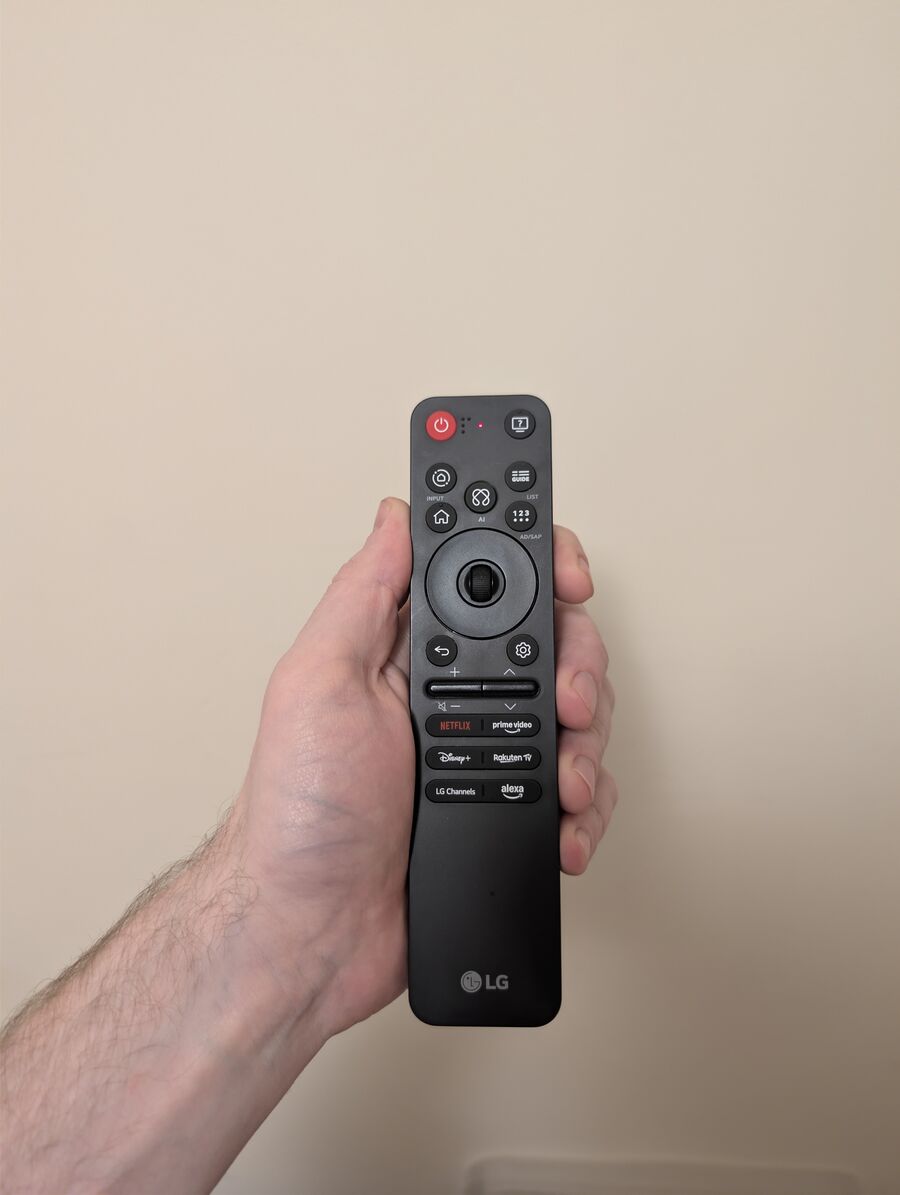
I set the goal on September 6: not to control the TV, but to turn the remote into an input device for the Mac. The gyroscope moves the cursor, the wheel scrolls, the AI button is the microphone.
How the voice cluster itself works, including the main session that listens to my speech, is in the post about my home agent cluster. This one is only about the remote.
Pairing: the Mac can’t see the remote
The remote doesn’t appear in the Bluetooth settings: its advertisement carries neither an HID service nor an appearance. I had to initiate the connection with a CoreBluetooth script. macOS then shows a confirmation dialog, and you have about 1.5 seconds to click Connect, because the remote drops the link after 2.7 seconds. It worked on the third try. Before that the remote had to be reset: hold Home and Back for more than 5 seconds.
I borrowed the BLE approach from my code for the Colmi ring. Once a BLE HID device is paired, macOS holds on to it, the device stops advertising, and you can only find it among already connected devices. Inside the remote, by the way, is a Realtek RTL8762, not anything made by LG.
Why polling and not events
First I tried listening to the remote’s events the usual way, through hidapi and through IOHIDManager in Swift. Zero events, even while I was pressing buttons. Only polling worked: asking the remote for input report 0xFD over and over. That gave about 60 samples per second.
I found out why with an Android phone running nRF Connect and HCI snoop. The remote itself sends 0xFD at 100 Hz, but macOS never enables notifications for it: in the bluetoothd dump, the subscription on all three input reports is empty. The connection interval is 15 ms and each request takes one interval, hence the ceiling of about 66 polls per second. A wheel click lives in the report for 10 ms, so roughly 2/3 of clicks get caught. Only a different BLE host would give the full stream: Linux with BlueZ, or a custom ESP32 or nRF board.
On Linux this is already confirmed: BlueZ enables notifications by itself, and the remote sends 0xFD at the full 100 Hz with no polling. I already bought a Bluetooth dongle for a mini PC. It may be simpler to run the remote’s service on the mini PC inside my own setup than to keep piling up workarounds on the Mac.
The microphone in the remote is the same story. Voice goes over a separate report, 0xFE, and neither the Mac nor Android ever enabled it. That same evening I decided to stop there: I don’t need voice from the remote, the microphone is always in my headphones anyway. The AI button simply starts recording from them.
The answer only turned up on October 25, and not on the air. Voice isn’t a stream you can eavesdrop on; it’s a mode the TV switches on: the host sends the remote two bytes, F9 03, and 70 ms later audio starts flowing, 66 packets per second, mSBC, the same codec Bluetooth headsets use. A third-party developer extracted the protocol from LG TV firmware in PR #8 to brainrom/lg-magic. On my MR25GA under Linux it held up: a minute and a half without a single lost packet, and my speech was recorded. How it works is in the next post.
Buttons for agents
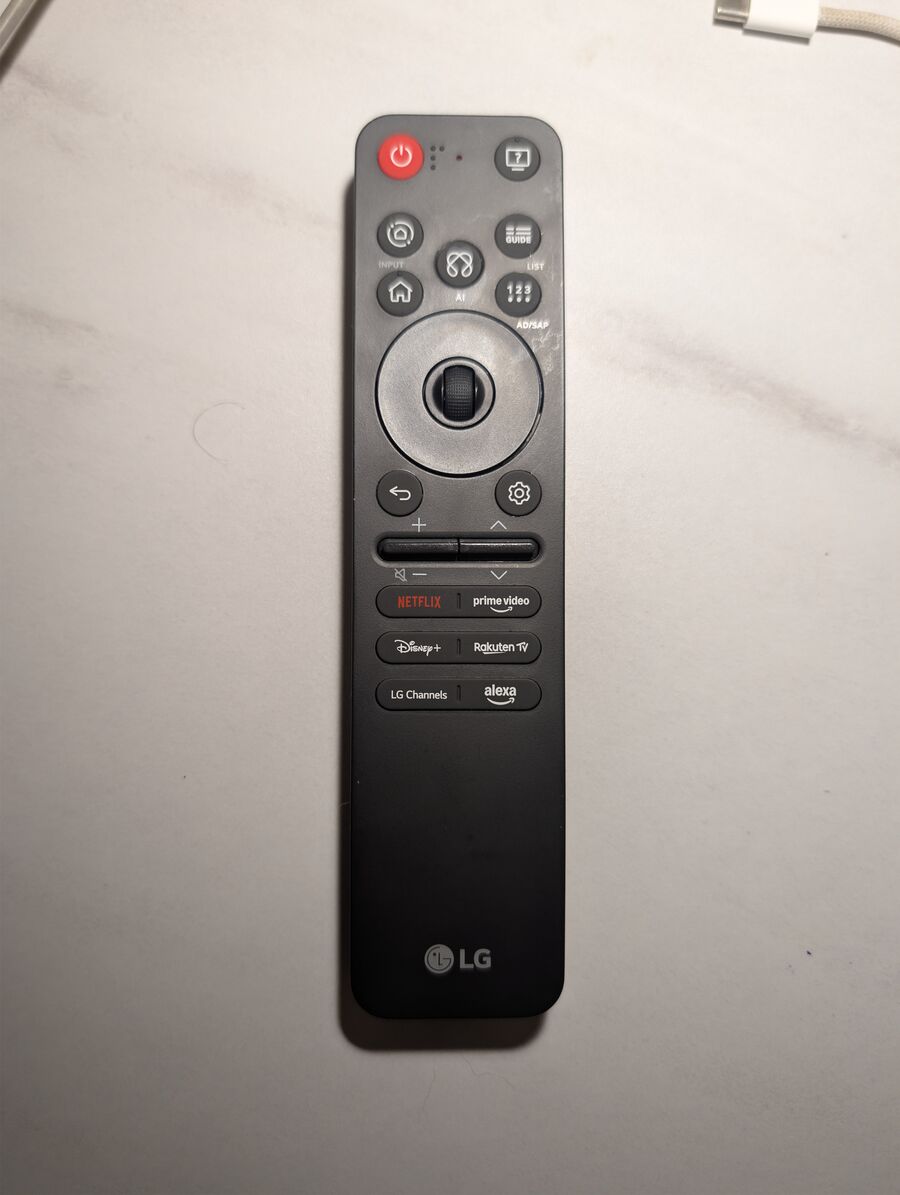
The layout grew out of whatever got in my way. On the very first night it turned out I had nothing to press Enter with: “I don’t understand how I’m supposed to press Enter.” The “123” button became Enter, meaning “approve”. Back became Escape. Then I needed to select text: a short press on the wheel is a click, and if you hold it still for 0.4 seconds in a terminal, Alt gets held down first so you can select with the mouse.
At first, modes were spread across buttons, which was, as I put it back then, “too wasteful for a remote that has few buttons”. On September 15 modes became independent flags. Each flag lays its own buttons over the base ones, and they are all toggled on one screen. The same day the remote logic moved from a standalone daemon into the cluster node. On October 3 I replaced the Hammerspoon menu with an agent panel. While it is open, the arrows, OK, the wheel, Back and Guide go to it.
The current map:
| Button | What it does |
|---|---|
| Wheel, press | click; move the cursor more than 8 px — drag; hold still for 0.4 s in a terminal — select with Alt. If the cursor is hidden, the first press only wakes it |
| Wheel, turn | scroll 3 lines; with the “slides” flag — ← → arrow keys |
| Arrows | arrow keys; in the panel — move across columns and rows |
| Back | Escape; hold 1 s — give the microphone back to the main session |
| 123 | Enter |
| Home | show or hide the agent panel |
| Home with a circle | open the panel straight on toggles and status |
| Guide | F1; in the panel — jump to the session that is waiting for me |
| ? | pause the agent’s speech, double press — repeat the phrase; hold 1 s — calibrate the gyroscope |
| AI | with the live_mic flag — hold and talk; the flag is off right now, so the button triggers Handy dictation on press and on release |
| prime video | toggle the cursor; hold 0.4 s — hold and talk |
| Gear | right click |
| Volume + / − | Mac volume |
| Channel ∧ / ∨ | Page Up / Page Down |
| NETFLIX | Backspace; when held, deletes by words after 6 characters |
| Disney+ / Rakuten TV | ⌘− / ⌘+ (window zoom) |
| LG Channels / alexa | desktop left / right |
| Power | sends nothing over BLE, IR only |
What broke
- A stuck Alt. All night on September 7 the menu behaved as if a modifier were held down. It turned out the flags of every synthetic event (Fn on the arrows, Alt for selection) accumulate in the system state. An empty mouse move with zero flags clears them. At 2:57 a.m. I wrote: “Works great.”
- Desktops. Mission Control ignores a synthetic Ctrl+← from CGEvent in all six variants we tried. Switching works through System Events.
- The menu kept dying. “Everything froze again… the menu is open and nothing works.” The Hammerspoon bridge lived in a local variable, the garbage collector collected it, and the port closed a minute after loading. Now the bridge lives in a global.
- Auto-calibration. “It was working fine, then bang, it recalibrated itself.” Automatic gyro bias tracking was removed, leaving the manual one: put the remote down and hold “?” for a second.
- Dropping off with AI held. On October 13 I held AI, the remote disappeared, and recording kept going. It turned out that after 4–8 seconds of holding AI the remote drops BLE on its own, probably switching on the voice channel meant for the TV. Now, if the remote disappears with a button held and doesn’t come back within 8 seconds, the node releases the button itself and the recording goes out as a turn. For long phrases there’s now a long press on prime video.
- Batteries. The remote reports battery level as garbage, −26 and −28 %. Same with fresh batteries, so I can’t see how much charge is left.
- Bridge security. The bridge the remote uses to press keys listens on a local address. Without protection, any page in the browser could press keys on my behalf. Now it answers browser requests with 403.
The agent kept forgetting how we’d set things up
The main problem turned out not to be the hardware. Four sessions took turns configuring the remote, and sometimes edits came from several at once. On September 14 two sessions restarted the daemon at the same time, my menu hung and clicks stopped working. Since then a single session owns the remote.
Docs lag behind the config. While putting this post together I found that the old button map disagreed with the real one in seven rows. The live_mic flag, without which AI doesn’t talk to the node, has been off since October 15 even though it defaults to on, and the log doesn’t say who turned it off. And there is no calibration file at all, so the gyro bias is zero. The cursor behaves fine anyway, so maybe we switched calibration off on purpose at some point, but I found no record of that.
What I actually press
From the old daemon’s log for September 6–15: wheel — 412 presses, down arrow — 249, AI — 84. Enter fired 109 times, Escape 37. The main buttons: the wheel, AI, arrows, desktops, Enter, Back, and prime video for the cursor.
Since mid-October I’ve barely picked the remote up. The last press in the node log is around October 20.
What’s not solved
- The wheel misses about a third of clicks. This can’t be fixed on a Mac; on Linux the stream is complete.
- The remote’s microphone is unavailable on the Mac. On Linux it works; there’s no bridge to the Mac yet.
- Holding AI drops the link after 4–8 seconds. Holding used to last up to 40 seconds; I haven’t found out why it’s different now.
- Battery level isn’t visible.
- The wheel fixes for the browser from October 17 haven’t been checked live.
On top of that, the remote pairs with one host and works only within BLE range of the Mac. And it’s big: holding it in my hand all the time isn’t comfortable.
The library
The remote code used to live inside the node: a module of 816 lines. I moved it into a separate library with versions and docs, so anyone with an MR25GA and a Mac can use it. The library is called gyromote; there’s no “LG” in the name because it’s a trademark. The first version is 0.1.0, and the node already runs on it: what’s left in the node is a 174-line wrapper that connects the remote to the agent panel, the microphone and the node’s speech. Repository: github.com/liknenS/gyromote.
I mapped the report layout and button codes myself on a live remote. The closest existing project is the Linux kernel driver brainrom/lg-magic, GPL-2.0, tested on the MR20. I didn’t take any code from it.
What’s worth knowing about the risks:
- You can brick the remote. The remote has a Realtek firmware update service. Writing to its characteristics can put the remote into flashing mode. The library reads the remote only by polling reports, and that path never reaches the firmware service. My research script, which walks every service during pairing, did not make it into the library.
- Accessibility permission. To press keys, the process needs the Accessibility permission, and with it, it can press anything. Grant it to a specific interpreter in a dedicated environment, not to your terminal.
- The config runs commands. A button can be bound to
shell:with any command. So the config is trusted input: whoever can edit it can run commands as you. The library has no network input; the socket and the panel bridge stayed in my node. The library refuses to load a config that anyone can edit.
What’s next
The “slides” flag already exists: the wheel turns pages with arrow keys. In principle this lets me run presentations from the remote.
Next I’m thinking about three things instead of the remote, or alongside it:
- Hands-free. A speaker with a microphone array and fixed commands like “on”, “off”, “over”, “next”.
- A ring with a physical button. The main question is the battery: solder it myself, order one, or find a ready-made ring.
- A small bracelet or a thin strip about seven centimeters long with a couple of buttons.
Of all the buttons, three remain the main ones for me: approve, Escape and microphone. They could move to my headphones: intercept the media keys on my Sony or OnePlus so that a single, double or triple press or a hold starts and stops recording. That’s hands-free mode with no remote at all.